Free AI Real Estate Video Generator
Turn property photos into cinematic listing videos that close deals — no crew, no editing.
Make a listing video — freeFirst effect freeAbout 1–2 min
Make one about you

Hug your younger self
A child version of you walks in. You hug. Everyone cries.

Best friends reunion
You spot each other across the marina. High five.

Arrive over Dubai
Rooftop at sunset, Burj Khalifa behind you, drone pulling back.
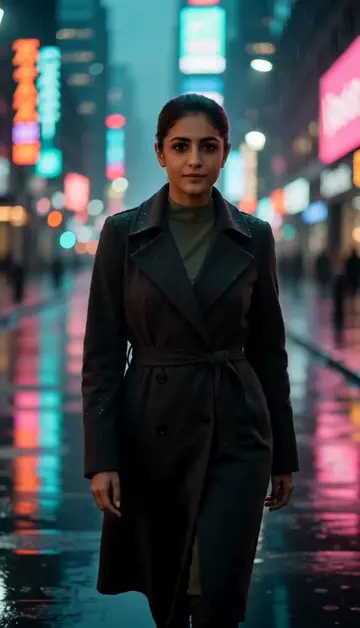
Neon night walk
Rain-soaked street, neon reflections, slow motion.
Try one of these descriptions
Aerial drone shot revealing a modern white luxury villa with infinity pool, palm trees, Dubai marina skyline in background, golden hour, cinematic 4K.
Use this description
Slow camera pan across a luxury penthouse interior with floor-to-ceiling windows showing city skyline at sunset, marble floors, minimalist furniture.
Use this description
First-person walkthrough of a warm, modern living room with natural light, plants, wooden floors, comfortable sofa, slow cinematic pace.
Use this description
Smooth dolly shot revealing a luxury modern kitchen with marble island, brass fixtures, soft afternoon light streaming through large windows.
Use this description
Top-down aerial shot of a backyard with rectangular pool, manicured lawn, outdoor lounge, sun loungers, palm trees, bright daylight.
Use this description
Slow zoom into a serene master bedroom with white linens, soft morning light through sheer curtains, plants, calming atmosphere.
Use this description
Listing-ready
Vertical and landscape formats for MLS, Instagram, TikTok, YouTube
Drone-style shots
Aerial reveals without renting a drone or pilot
Up to 5 takes at once
Create several versions of the same shot and pick the best
No subscription
Pay in AED as you go — credits never expire
Common questions
Can I upload a photo of the actual property?
Does it support staging / virtual furniture?
Are videos commercial-use safe?
Best length for Instagram listings?
Do I need an account to try it?
Can I use a photo of my face?
How long does a clip take?
Can I use my clips commercially?
No subscription. Credits never expire.