Free AI Event & Conference Promo Video Maker
Trailer videos for tech conferences, expos, festivals, summits — build hype before the doors open.
Make an event trailer — freeFirst effect freeAbout 1–2 min
Make one about you

Hug your younger self
A child version of you walks in. You hug. Everyone cries.

Best friends reunion
You spot each other across the marina. High five.

Arrive over Dubai
Rooftop at sunset, Burj Khalifa behind you, drone pulling back.
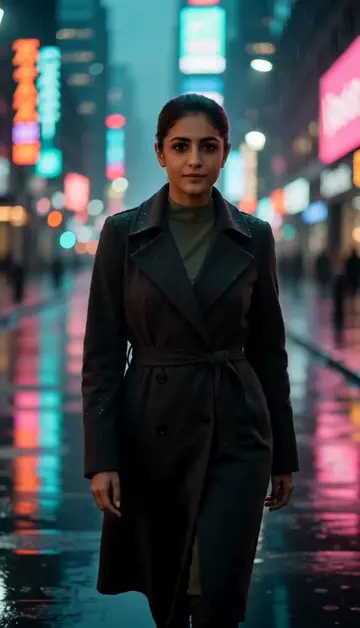
Neon night walk
Rain-soaked street, neon reflections, slow motion.
Try one of these descriptions
Wide shot of a packed conference hall with stage spotlights sweeping across the crowd, anticipation in the air, dramatic event lighting, cinematic energy.
Use this description
Cinematic shot of a keynote speaker on a TED-style stage with massive screen behind them, audience in deep focus, dramatic single-light spotlight, inspirational mood.
Use this description
Slow camera glide through a busy conference networking session — professionals exchanging business cards, holding coffee, laughing, golden hour through windows.
Use this description
Drone aerial shot of a massive outdoor festival crowd at sunset, stage lights pulsing, raised hands, energetic music vibe, festival anthem moment.
Use this description
Camera moving through a high-tech expo floor — brand booths glowing with neon, attendees demoing products, dynamic CES-style energy.
Use this description
Dramatic event countdown — date appearing in bold cinematic text over an abstract dynamic background with light trails, hype trailer aesthetic.
Use this description
Hype-driver
Cinematic trailers that drive ticket sales for events 6 weeks out
Multi-channel
Reels, LinkedIn, YouTube, paid Meta ads — all from one prompt
No prior footage needed
For first-time events with nothing to film — generate hero clips
Sponsor-pitch ready
Concept films for sponsor decks before the event exists
Common questions
How early to start promotion?
Can I add specific speaker / brand names?
Best for UAE Expo / GITEX / Dubai events?
Do I need an account to try it?
Can I use a photo of my face?
How long does a clip take?
Can I use my clips commercially?
No subscription. Credits never expire.