Free AI Music Video Generator
Visualize your track with cinematic AI clips — for indie artists, lyric videos, and visualizers.
Make a music video — freeFirst effect freeAbout 1–2 min
Make one about you

Hug your younger self
A child version of you walks in. You hug. Everyone cries.

Best friends reunion
You spot each other across the marina. High five.

Arrive over Dubai
Rooftop at sunset, Burj Khalifa behind you, drone pulling back.
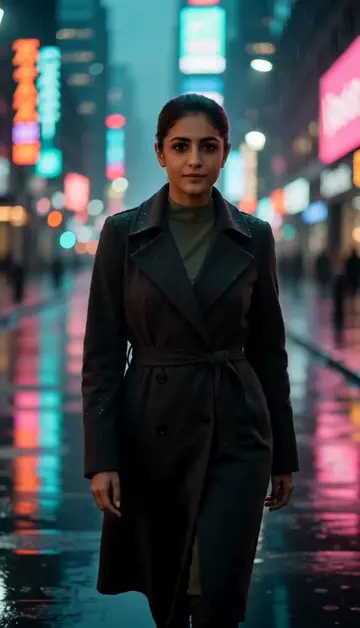
Neon night walk
Rain-soaked street, neon reflections, slow motion.
Try one of these descriptions
First-person drive through a neon-lit cyberpunk city at night, rain on windshield, vibrant pink and cyan reflections, synthwave music video aesthetic.
Use this description
Abstract swirling liquid colors — purple, magenta, gold — flowing in slow-motion against black background, hypnotic visualizer aesthetic, smooth fluid motion.
Use this description
Silhouette of a musician on stage with dramatic stage lights, lens flares, smoke effects, sweeping spotlight, concert energy, cinematic.
Use this description
Vintage 80s VHS aesthetic — palm trees, pink sunset, retro grid floor, chrome lettering vibe, nostalgic synthwave atmosphere, slight tape grain.
Use this description
Singer-songwriter playing acoustic guitar by a window with soft golden afternoon light, intimate close-up, gentle camera dolly, emotional warm tones.
Use this description
Slow-motion shot of a concert crowd with hands raised in euphoric cheer, colorful stage lights washing over them, energetic festival atmosphere.
Use this description
Visualizer-ready
Generate 5-15s loops for Spotify Canvas, YouTube visualizers, Instagram audiograms
Mood-driven
Synthwave, lo-fi, indie folk, hip-hop — describe the vibe, get the aesthetic
Up to 5 takes
Make up to 5 takes of one description and keep the one that hits hardest
Indie artist priced
10 credits per 5-second clip, packs from 19 AED — no production budget needed
Common questions
Can the video sync to my beat?
Lyric video — does it generate text?
Can I use this for monetized YouTube/Spotify Canvas?
Do I need an account to try it?
Can I use a photo of my face?
How long does a clip take?
Can I use my clips commercially?
No subscription. Credits never expire.