Free AI TikTok Video Maker
Trend-ready vertical clips with motion and sound — fed straight into your TikTok content engine.
Make a TikTok clip — freeFirst effect freeAbout 1–2 min
Make one about you

Hug your younger self
A child version of you walks in. You hug. Everyone cries.
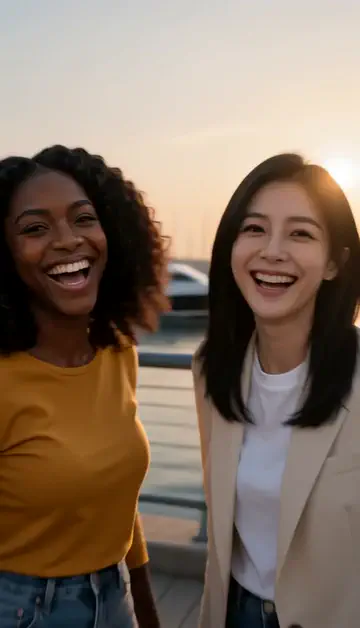
Best friends reunion
You spot each other across the marina. High five.

Arrive over Dubai
Rooftop at sunset, Burj Khalifa behind you, drone pulling back.
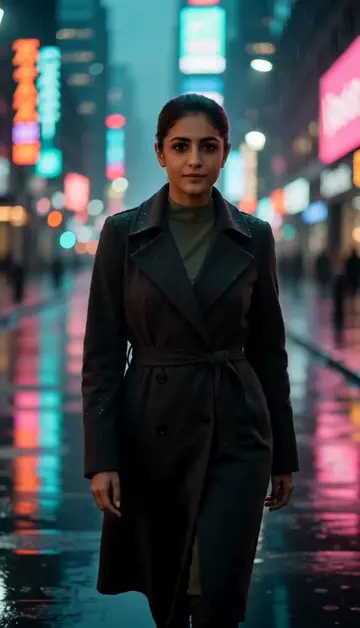
Neon night walk
Rain-soaked street, neon reflections, slow motion.
Try one of these descriptions
Slow-motion reveal of a stylish woman walking through neon-lit Tokyo street at night, hair flowing, confident stride, cinematic colored lighting, vaporwave aesthetic.
Use this description
Top-down satisfying unboxing of a luxury sneaker, ribbons unfurling, packaging opening smoothly, soft white background, ASMR pacing.
Use this description
Extreme close-up of melted chocolate slowly drizzling onto a stack of pancakes, slow-motion drips, golden honey color, food-porn aesthetic, 4K.
Use this description
Person snaps fingers and outfit transitions from casual to glamorous in a flash of light, dynamic motion blur, confident pose, studio lighting.
Use this description
First-person POV walking through a bustling Marrakech souk at golden hour, colorful textiles, spice piles, locals, dynamic camera bob.
Use this description
Time-lapse of Dubai downtown skyline at twilight transitioning to night, traffic streaks, illuminated buildings, vibrant colors, 4K cinematic.
Use this description
Native 9:16
Generated at full vertical resolution — no awkward cropping
Trend-ready styles
Cinematic, ASMR, glowup, POV — all the formats that pop on FYP
Audio out of the box
Add your own music in the TikTok editor or use the generated soundscape
Up to 5 takes at once
Create several versions of one description and keep the strongest hook
Common questions
Can I post these directly to TikTok?
Will TikTok flag AI-generated content?
How do I make it look "viral"?
Do I need an account to try it?
Can I use a photo of my face?
How long does a clip take?
Can I use my clips commercially?
No subscription. Credits never expire.